
Managing GDPR Compliance on WordPress with Plugins
Image
No WordPress plugin makes your site fully GDPR compliant. Every credible plugin author says so in their own documentation.
That's not a dealbreaker. It just means you need to understand what plugins actually solve and where they stop.
GDPR compliance on WordPress splits into two layers:
- Infrastructure compliance covers your hosting environment: encryption, access controls, data residency and security certifications.
- Application compliance covers everything visitors interact with: consent banners, cookie blocking, privacy policies and data request handling.
Plugins handle the application layer. Your host handles the infrastructure layer. Problems start when people assume one covers both.
WordPress core has included basic privacy tools for a while now. You get a privacy policy template, data export and erasure tools and a comment consent checkbox. These work for data stored in the WordPress database. They do nothing for Google Analytics, Meta Pixel, YouTube embeds or any other third-party service loading on your site.
The most important question is whether your entire setup can survive a data subject access request or a regulator asking how you handle EU visitor data. That requires the right plugin, the right hosting and a process that connects them.
🚩 These tools only handle data stored in the WordPress database (such as comments and user profiles). They do not apply to third-party scripts, like those used for analytics and other embedded services. These account for most GDPR violations. To manage those, you need a consent plugin that blocks third-party scripts until visitors grant permission.
What GDPR compliance requires on WordPress
GDPR grants EU residents specific rights over their personal data. If your site collects data from anyone in the EU, it applies to you regardless of where your business is based.
The law requires a lawful basis for processing data, transparency about what you collect, data minimization and accuracy. Users can request access to their data, ask you to delete it or demand a portable copy. Fines run up to €20 million or 4% of annual global revenue, whichever is higher.
On WordPress, this breaks down into concrete obligations. You need:
- Consent before loading tracking scripts.
- A privacy policy that accurately describes your data practices.
- A process for handling data access and deletion requests.
- Documentation proving you did all of it.
WordPress core tools cover part of this. The built-in export and erasure system handles data stored in standard WordPress tables, like comments and user profiles. But it can't touch data sitting in places like Google Analytics, your email marketing platform, or a CRM that syncs through a plugin.
Infrastructure should also be evaluated for compliance. Your host needs encryption in transit and at rest, access controls, breach notification processes, and, ideally, SOC 2 certification.
Pantheon provides these as a GDPR-compliant data processor with EU data residency options and a public Trust Center for audit documentation.
The features that actually matter in a cookie consent plugin
You shouldn’t compare plugins by feature lists. Instead, evaluate them by what they prevent and what they can prove:
- Pre-consent script blocking keeps things from running until visitors agree to each category. If Google Analytics fires before a visitor clicks accept, your site is non-compliant.
- Consent logging needs to store anonymized IP addresses, timestamps and which categories each visitor accepted or rejected. This is your proof when a regulator asks how you collect consent. Without it you have a banner and nothing else.
- Granular cookie categories let visitors accept analytics but reject marketing. A single "accept all" button with no alternatives does not meet GDPR requirements for freely given consent.
- Google Consent Mode v2 support is vital if you run Google Ads or GA4. It sends consent signals to Google so your analytics adjust based on what visitors agreed to.
- Cookie scanning should automatically crawl your site and identify what each cookie does, who sets it and how long it lasts. Manual cookie lists go stale the moment you add a new plugin or embed.
- Geo-targeting displays banners only to visitors in jurisdictions that require them. Consent renewal prompts visitors again when your privacy policy changes.
Third-party services are where compliance often breaks
Most GDPR violations on WordPress don't come from missing consent banners. They come from external services loading before consent is granted.
Google Analytics sets cookies and transmits IP addresses the moment the tracking script fires. Meta Pixel does the same. YouTube embeds drop cookies on page load, even if nobody clicks play. Google Fonts loaded from Google's CDN shares visitor IP addresses with Google on every page view. Self-hosting the fonts locally eliminates this data transfer and removes the issue.
Your contact form plugin may store IP addresses and user agent strings by default. Security plugins like Wordfence log IPs for brute force protection. Even social sharing buttons can include tracking scripts from Facebook or Twitter.
Each external service that processes EU visitor data requires a Data Processing Agreement. That means formal Data Processing Agreements (DPAs) with your email provider, CDN, form processor, and any marketing automation tools. Most major services offer standard DPAs, but you have to actually execute them.
Telemetry trackers address a gap most site owners miss entirely. You can detect them by checking your browser’s developer tools Network tab or using a plugin scanner to see which external domains your site contacts. Plugins and themes can send data to external servers without your knowledge. A theme might phone home for license verification. A plugin might transmit usage statistics.
These hidden data flows create compliance exposure that no consent banner covers because you don't know they exist.
Audit your full stack. Not just what visitors see, but what runs underneath.
Seven WordPress plugins for GDPR compliance
To reiterate, no single plugin covers every GDPR obligation.
The tools below handle different pieces of the compliance puzzle. Some manage consent and cookies. Others handle specific data collection points like analytics or forms. Most sites need a combination.
We’re covering them here as a starting point. Evaluate each against your own requirements before committing.
CookieYes
CookieYes provides automatic cookie scanning, pre-consent script blocking and a customizable consent banner with granular categories.
Image
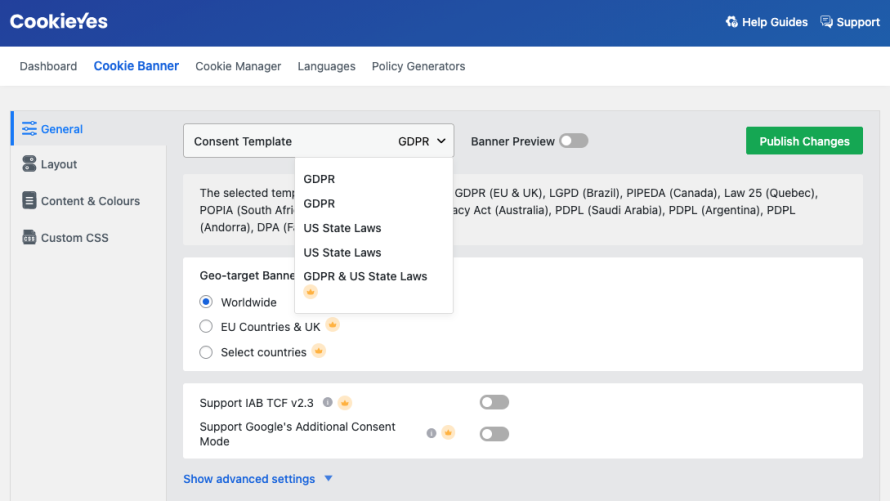
It stores consent logs with timestamps and supports Google Consent Mode v2. The free tier covers basic consent management for a single site. Premium adds geo-targeting, auto-translation, and support for multiple domains.
It handles consent well but does not generate privacy policies, manage data subject access requests, or execute DPAs with your third-party services.
You still need a separate process for handling deletion requests that involve data outside WordPress.
Setup uses a hybrid workflow between a WordPress plugin and an external web dashboard. After an automated scan, you map detected scripts to consent categories. While the initial banner is largely plug-and-play, reviewing consent logs and advanced configuration may require using the provider’s external dashboard.
Complianz
Complianz scans your site for cookies and generates region-specific consent notices for EU, UK, US, and Canadian visitors.
Image
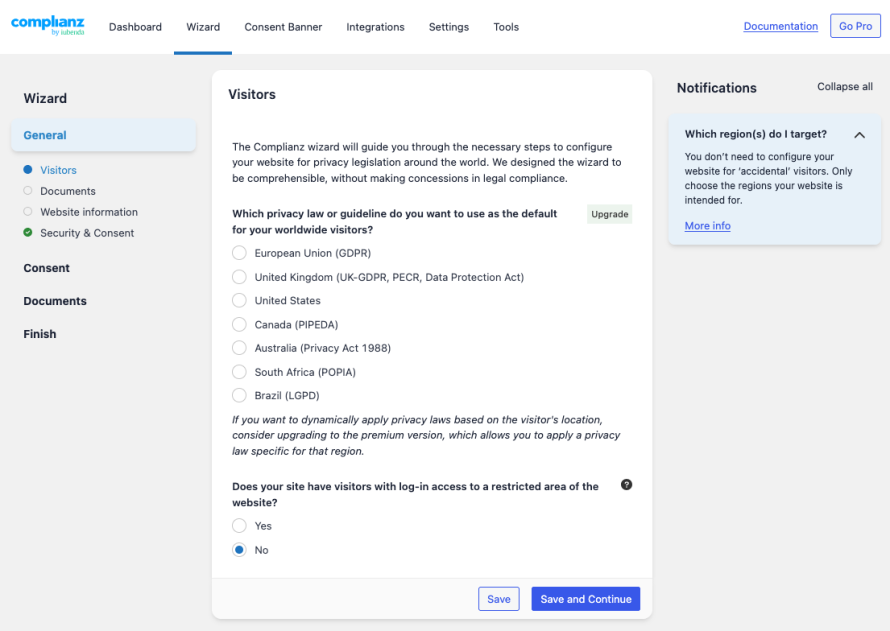
It includes a privacy policy generator that pulls in details from your scan results. Script blocking works through automatic detection or manual configuration.
The free version covers single-region compliance. Premium unlocks geo-targeting, A/B testing for consent banners and consent statistics.
It doesn’t handle data access or erasure requests and has no built-in DPA management.
Privacy policies it generates need manual review to ensure accuracy for your specific setup.
Setup is guided by a configuration wizard that asks questions about your business regions (EU, UK, US, CA), services and data practices. The process takes longer than simpler plugins but helps configure consent notices and script blocking based on the jurisdictions you select.
Cookiebot
Cookiebot runs monthly cookie scans from external servers giving you an independent audit of what your site actually loads.
Image
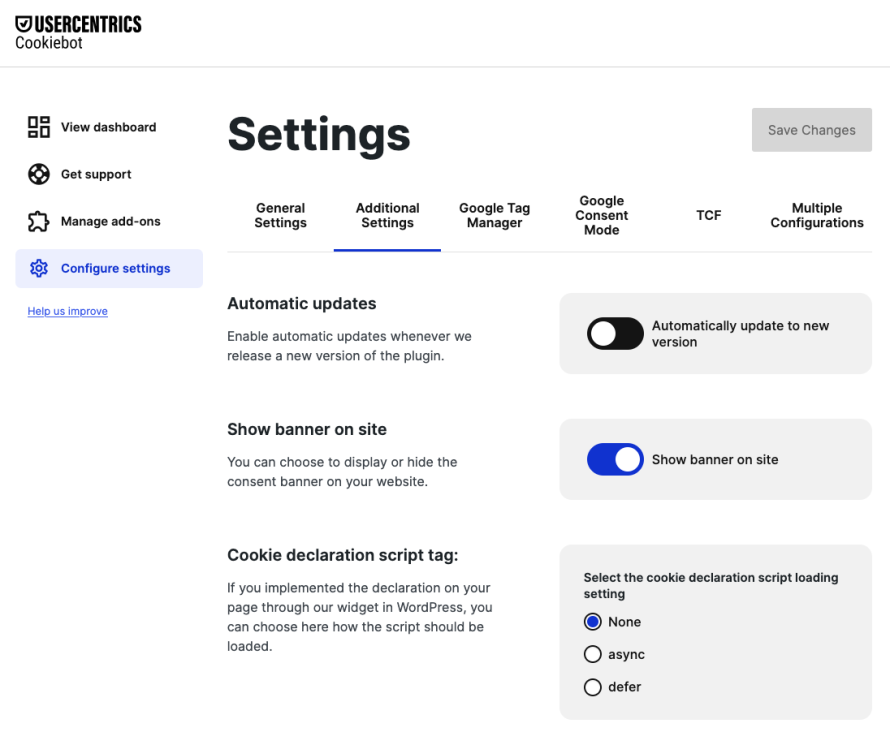
Consent logs are stored on Cookiebot's infrastructure with anonymized IPs and timestamps, making them harder to tamper with than locally stored logs.
It supports Google Consent Mode v2 and IAB TCF 2.2 for sites running programmatic advertising. The free plan covers sites with up to 50 subpages. Larger sites require a paid subscription.
Cookiebot does not generate privacy policies or handle data subject requests. Some users report that its external scanning approach can miss dynamically loaded scripts that only fire under specific conditions.
Setup is minimal on the WordPress side, as configuration happens primarily in the Cookiebot dashboard. You connect the plugin by adding your Domain Group ID. Cookiebot then scans the site and attempts to automatically categorize detected cookies, which you can review and adjust if needed.
GDPR Cookie Compliance
GDPR Cookie Compliance by Moove stores all consent data locally in your WordPress database rather than on external servers.
Image
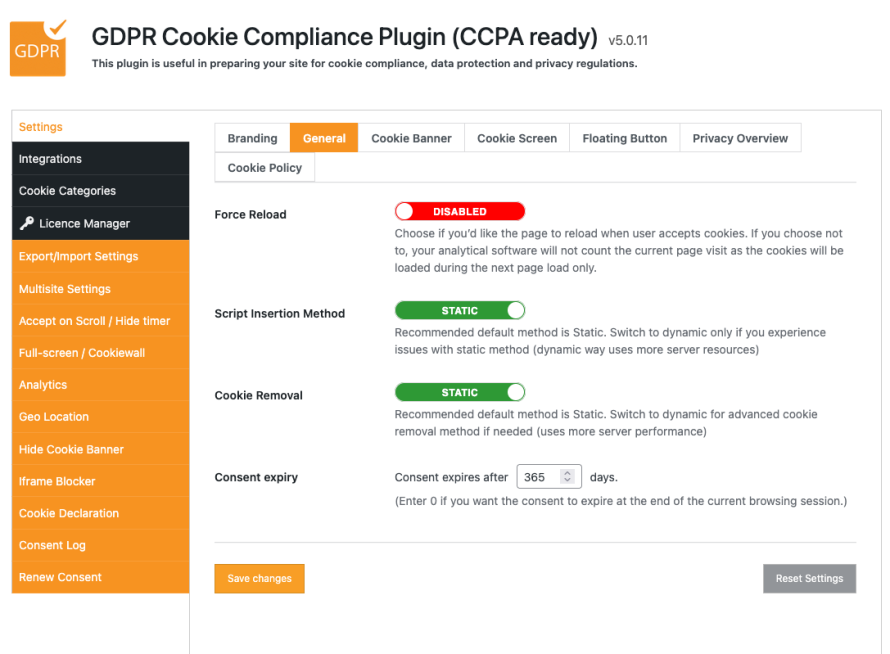
This appeals to organizations that want full control over where consent records live. Premium features include geo-targeting, cookie walls that gate content until consent is given and screen reader accessibility.
Cookie listing is manual. You define each cookie's name, provider, purpose and duration yourself. This gives you precision but means the list breaks every time you add a plugin or embed that sets new cookies.
There is no automated scanning.
It handles consent management but not privacy policies, data requests or DPA documentation.
This plugin relies on manual configuration rather than automated scanning. Setup involves defining cookie categories yourself and adding tracking scripts (such as Google Analytics) to the appropriate blocks so they only run after consent.
WPConsent
WPConsent scans your site to detect cookies and third-party tracking scripts, then blocks them from loading until visitors give consent.
Image
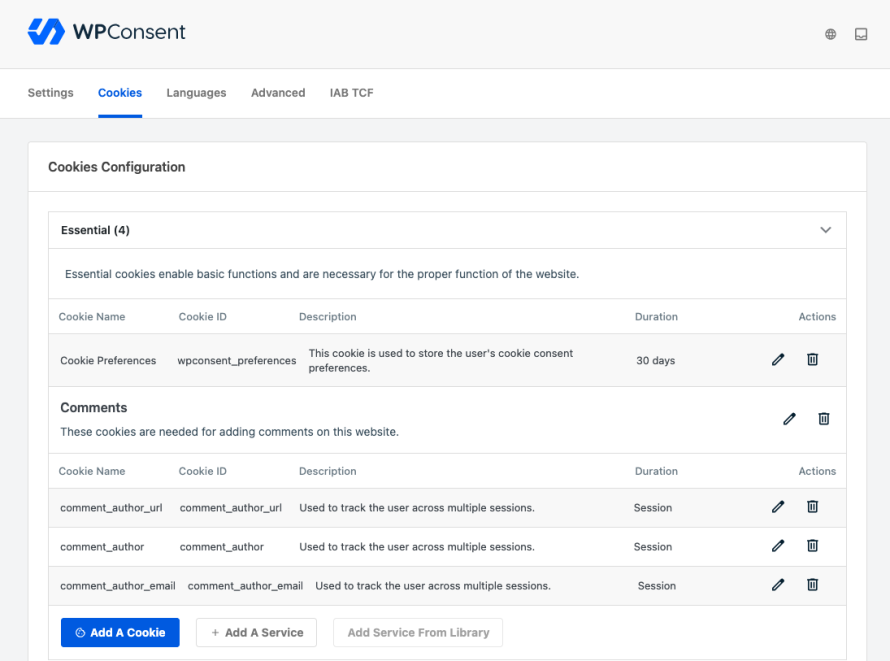
The plugin displays a customizable consent banner where users can accept or reject cookies by category, such as essential, analytics and marketing.
It logs consent records and stores them in your WordPress database rather than on external servers.
The pro version adds geolocation targeting, which lets you show different banners based on visitor location. Like a GDPR-specific banner for EU visitors.
It also supports Google Consent Mode v2 and IAB TCF v2.2. WPConsent can generate a cookie policy page based on its scan results and includes a "Do Not Sell" form for handling opt-out requests.
This plugin keeps consent management entirely within the WordPress dashboard. Setup uses a guided wizard and includes automated cookie detection to help categorize scripts. It appeals to site owners who prefer managing consent without relying on an external SaaS dashboard.
OptinMonster
OptinMonster builds popups, slide-ins and signup forms.
Image
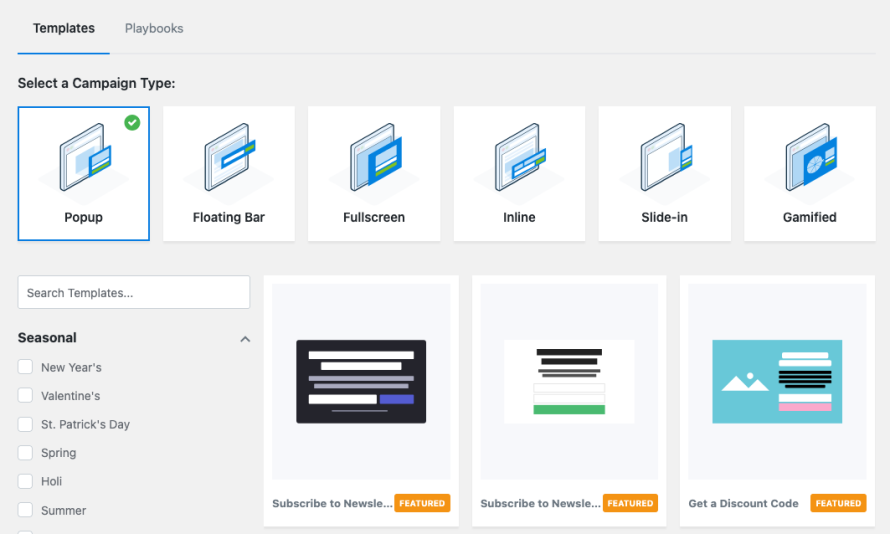
Its GDPR features include consent checkboxes on opt-in forms and geo-targeting rules that let you display EU-specific messaging or suppress certain campaigns for EU visitors entirely.
This prevents you from collecting email signups without consent from EU visitors. But OptinMonster itself sets cookies for campaign targeting and display rules. Your consent plugin needs to block OptinMonster's scripts until visitors accept the relevant category.
It does not handle cookie consent, privacy policies or data requests. Treat it as a data collection point that needs to be governed by your consent plugin rather than a compliance tool itself.
Setup focuses on lead-generation compliance rather than site-wide script blocking. It involves enabling privacy consent checkboxes on forms and configuring geo-targeting rules to display them for visitors in regulated regions. It should be paired with a dedicated consent management plugin for full site-wide cookie control.
Privacy policies that match your site
A consent banner means nothing if your privacy policy doesn't match what your site does. The two have to stay in sync.
Your policy must disclose:
- What data you collect.
- The legal basis for processing it.
- How long you retain it, who you share it with.
- How users can exercise their rights.
Vague language like "we may collect certain information" fails the GDPR transparency requirement.
Maintain a dated archive of every policy version and use your plugin to trigger a consent reset for returning visitors whenever you update your data practices, since consent only applies to the specific terms a user originally accepted.
Generation tools help, but none produce a finished policy.
Complianz pulls cookie scan results into a template. WP AutoTerms provides GDPR-specific sections for privacy policies and terms pages. Both give you a starting point that requires manual editing to cover your actual data flows, including form submissions, payment processing, email marketing, and CRM integrations.
Every change to your data collection setup should trigger a policy review. Adding a new analytics tool, switching email providers, or embedding a third-party widget can introduce data processing that your current policy doesn't mention.
When you update the policy, your consent plugin should prompt returning visitors to review and re-consent.
Store version history of your privacy policy with dates. If a regulator asks what your policy said at any point in time, you need an answer.
Handling data access and deletion requests beyond WordPress core
When someone submits a data subject access request you have 30 days to respond with everything you hold on them.
WordPress core lets you export and erase user data from standard database tables. That covers comments, form submissions stored locally, and account details.
It does not cover data sitting in external systems. If that person's email address lives in Mailchimp, their behavior data sits in GA4, and their support tickets are in Zendesk, you need to pull records from each service separately.
No WordPress plugin automates this across external platforms.
For organizations with audit requirements, the GDPR plugin by TrewKnowledge adds encrypted audit logs that record every compliance action: consent changes, access requests, deletion completions and breach notifications. It also supports pseudonymization for erased content so you can remove identifying details while preserving the record structure.
Build a documented process that maps every system holding personal data. When a request comes in you need to know exactly where to go and who is responsible for each system.
WordPress handles one piece. The rest is on you.
Testing your setup and avoiding common mistakes
Open your site in a private browser window. Before interacting with the consent banner, open your browser's developer tools and check the Network tab.
If you see requests to google-analytics.com, connect.facebook.net or youtube.com before you've clicked anything, your script blocking is broken.
Accept only analytics cookies, then check the Network tab again. Only analytics scripts should fire. Reject everything and confirm zero tracking requests load. This takes just minutes and tells you more than any feature checklist.
Check that every page loads over HTTPS with no mixed content warnings. A single HTTP resource can break the padlock icon and undermine visitor trust before they even reach your consent banner.
Common pitfalls that survive basic testing:
- Automated cookie scanner gaps miss scripts that load conditionally, such as exit-intent popups or logged-in user dashboards. Test those states manually by triggering each condition and checking the Network tab.
- Accept on scroll settings treat page scrolling as implied consent, which does not meet GDPR requirements for explicit affirmative action (PDF). Disable this in your consent plugin configuration and require a deliberate click.
- Missing DPAs make your consent banner irrelevant because you haven't formalized how every external service handles EU visitor data. Contact each provider and execute their standard Data Processing Agreement before going live.
- Caching conflicts can serve pages with tracking scripts already embedded bypassing your consent plugin entirely. Test with caching enabled and configure your host or caching plugin to exclude consent-dependent scripts from cached output.
Building compliance that actually holds up
GDPR compliance is a system where infrastructure, application tools and operational processes each cover a specific layer. It’s more than just a plugin you activate.
Your consent plugin blocks scripts and logs visitor choices. Your privacy policy documents what you collect and why. Your data request process ensures you can respond within 30 days across every system holding personal data. These are the application and process layers.
Underneath all of it your hosting environment determines whether the foundation holds. Encryption in transit and at rest, access controls, automated security updates and breach notification processes aren't optional extras. They're baseline requirements that your application-layer tools sit on top of.
Pantheon provides that foundation as a GDPR-compliant data processor with SOC 2 Type 2 certification, EU data residency options and a public Trust Center where your compliance team or clients can verify controls without chasing documentation. Automated core and plugin updates reduce the window where known vulnerabilities sit unpatched on your site.
Start with an audit of what your site actually collects. Install a consent plugin that blocks scripts before consent. Verify it works in a private browser. Execute your DPAs. Document everything.
The sites that survive regulator scrutiny aren't the ones with the most expensive tools. They're the ones that can show exactly how each layer works.
Start building on Pantheon and give your compliance stack infrastructure that holds up when it counts.