
Netlify Alternatives in 2026 and Why Developers Switch
Netlify can take a site from repository to production with very little friction. The friction shows up later. Your CMS lives on a different host than your frontend. You have to trace a monthly bill back to which deploys and which gigabytes of bandwidth consumed it. A release needs coordinated changes to both the content model and the frontend.
Choosing an alternative to Netlify means deciding which platform should own the runtime, caching, environments, observability, security and support model behind your site.
Some teams need a more specialized Next.js platform while others need databases and background services, edge infrastructure or self-hosting control.
This guide explains why developers leave Netlify, compares the leading alternatives by use case and shows how to choose the right platform for your application, team and long-term operating model.
Why developers switch from Netlify
Developers start evaluating Netlify alternatives when:
- Costs become difficult to predict: Traffic, bandwidth, production deploys, server-side rendering, functions and other activity can all consume credits. As usage grows, teams may struggle to forecast the monthly bill or understand which workload is driving it.
- The application needs persistent backend services: Continuous workers, message queues, long-running jobs, private services and tightly connected databases do not fit naturally into a function-based architecture. Supporting them often requires additional platforms and vendors.
- The runtime creates technical constraints: Teams may need standard Node.js containers, edge infrastructure, first-party Next.js support or direct control over the server environment. These requirements can make another hosting model more suitable.
- The technology stack becomes fragmented: Databases, authentication, monitoring, search, background jobs and content systems may all live on separate platforms. This creates more dashboards, logs, bills, deployment processes and support relationships to manage.
- Governance requirements increase: Larger organizations may need stricter environment controls, coordinated testing, predictable release workflows, compliance support and clearer responsibility when production problems occur.
The right alternative depends on which of these constraints is driving the move.
The best Netlify alternatives by use case
Netlify alternatives are not interchangeable because they replace different parts of the platform – here’s a breakdown.
Pantheon – for CMS-backed Next.js sites
Pantheon runs your WordPress or Drupal CMS and Next.js frontend on one platform – the Netlify alternative that doesn't leave the CMS on a separate host. In this headless architecture, Netlify may host the application effectively, but the CMS still runs elsewhere, which divides deployments, environments, caching, logs, billing and support across two platforms. This split becomes harder to manage when a release requires coordinated changes to both the content model and the frontend.
Next.js on Pantheon is available on Gold, Platinum and Diamond Workspaces, which include the Multidev environments the workflow depends on. A decoupled setup means two plans rather than one, since the Next.js application and the CMS are separately hosted sites. In practice the CMS often runs at a smaller plan level once it's no longer serving front-end traffic, which is how SPS Commerce structured theirs.
Pantheon brings the WordPress or Drupal backend and Next.js application into one WebOps platform, giving teams one dashboard, one platform relationship and a coordinated way to develop, test and operate the complete site. This includes:
- A managed Next.js runtime: Next.js runs in isolated containers on Google Cloud Run, with Pantheon managing the underlying infrastructure and horizontal scaling.
- Global delivery and persistent caching: Pantheon's Global CDN caches rendered responses at the edge. Behind it, a persistent cache layer shared across horizontally scaled containers holds your incremental static regeneration (ISR) output, so every container serves the same regenerated page instead of each one rebuilding independently. That layer is separate from Next.js's own data cache, which continues to work as it does anywhere else. Sites needing a web application firewall (WAF) and bot protection can add Advanced Global CDN.
- Content updates go live without a full rebuild: When someone publishes a change in your CMS, the affected pages refresh and Pantheon clears its CDN at the same time, so visitors everywhere see the update instead of a cached older version. Pages can also refresh on a schedule you set. Deploying a new build refreshes page caches while preserving your data caches, so a release doesn't re-fetch everything from your CMS. Pantheon documents a worked example using WordPress.
- Dev, Test, Live workflow: Build in Dev, validate the complete release in Test, then promote to your Live environment. Next.js sites deploy to Test and Live through specially named Git tags.
- Multidev environments: Teams can create isolated environments for branches or pull requests, allowing developers and stakeholders to review work before it is merged.
- Git-based deployments from GitHub or GitLab: Commits to your main branch will deploy to the Dev environment, and each pull/merge request gets its own Multidev environment. Deployments to Test and Live are triggered by specially named Git tags. Bitbucket support is planned but not yet available.
- Centralized configuration and troubleshooting: Set environment variables and secrets in the Pantheon dashboard through Secrets Manager, either per-environment or across all of them, rather than in a local environment file. Build logs and runtime logs are in the same dashboard and available through Terminus.
Take SPS Commerce for instance. Moving SupplierWiki from Netlify to Pantheon gave their team one dashboard and support relationship for their WordPress and Next.js sites, replacing the operational overhead of managing two platforms.
Image
Vercel – for Next.js-first applications
For a site built primarily with Next.js, Vercel is the closest like-for-like move from Netlify – but it leaves the CMS, databases and backend services on separate platforms.
Because this platform develops the Next.js framework, it supports features such as server-side rendering (SSR), ISR, middleware, image optimization and route handlers without requiring much additional setup. Pull requests can also generate preview deployments, allowing teams to review changes before they reach production.
However, teams should evaluate the complete stack rather than comparing frontend deployment workflows alone, especially if their applications depend on separate services for databases, search, authentication, background jobs or other backend workloads coming from marketplace integrations or external providers. Pricing can also become more complex as usage grows.
Image
Cloudflare Workers – for edge-first applications
Cloudflare Workers is a possible alternative for teams that want application code to run across a global edge network rather than from one central server. It can support static sites, APIs and full-stack applications built with several popular frameworks.
However, migrating involves more than moving the same build to a different deployment service. The main issue is compatibility with existing server-side code. Workers uses Cloudflare’s workerd runtime rather than a standard Node.js server, so packages that depend on unsupported Node.js APIs, long-running processes or direct file-system access may require changes.
Additionally, applications that need databases, file storage or persistent state must also use additional Cloudflare services such as D1, R2, KV or Durable Objects. Each has separate limits, behavior and pricing.
Teams should test their framework features, dependencies and caching setup carefully before migrating from Netlify to Cloudflare Workers.
Image
Render – for applications with persistent backend services
Render is relevant when an application needs services that remain running instead of starting only when a request triggers them. Teams can host dynamic web applications alongside private services, background workers, scheduled jobs, PostgreSQL databases and Redis-compatible storage. This suits workloads such as processing queues, generating reports, running large imports, or handling other tasks that continue independently of a user’s request.
However, this comes with greater operational complexity. Each application process, worker, database and scheduled task becomes a separate service with its own resources, settings, logs and cost. Teams must decide how those services connect, scale and recover from failures rather than treating the whole application as one frontend deployment.
Image
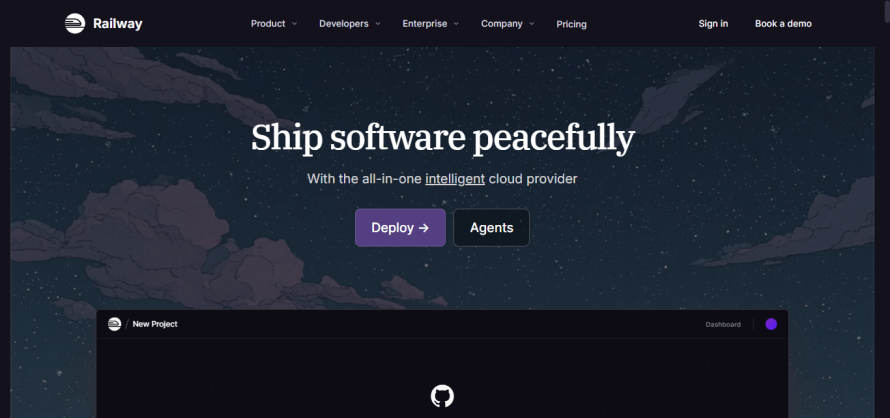
Railway – for applications with several connected services
Railway is another option when an application needs multiple services that work together, such as a public website, API, database, background worker, message queue or scheduled job. Each runs as a separate container within the same project, and private networking allows services to communicate without exposing them publicly.
The tradeoff is that teams must design and operate this service-based architecture. Every service has its own deployment settings, environment variables, logs, resource usage and failure points. Persistent file storage also requires attached volumes, which have plan-based limits and separate usage charges.
Image
Coolify – for teams that want to self-host
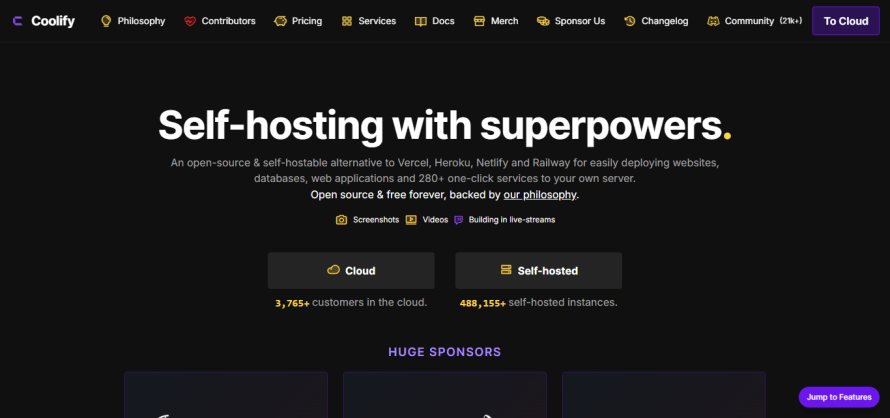
Coolify takes a fundamentally different approach from Netlify. It is an open-source deployment software that teams install on their own servers or cloud accounts, rather than on a hosting provider that owns and operates the underlying infrastructure.
Applications run in Docker containers and can be deployed from Git repositories, Dockerfiles or Docker Compose configurations. Coolify can also handle domains, SSL certificates, preview deployments, database backups, basic monitoring and deployment notifications.
The downside is responsibility. The team must choose and pay for the servers, secure them, install updates, monitor capacity, verify backups and respond when the infrastructure fails. Running Coolify may reduce platform fees and give developers more control, but the time spent maintaining the environment is still an operational cost.
This route is most relevant only when infrastructure ownership is the main reason for leaving Netlify. Teams that want hosting, scaling, security and support managed for them may find self-hosting creates more work than it removes.
Image
What migrating away from Netlify involves
Moving a site away from Netlify is rarely as simple as connecting the repository to another host. The application code may be portable, but the surrounding configuration and platform services must also be recreated or replaced.
Before migrating, teams should inventory:
- Build and deployment settings, including build commands, output directories, environment variables, deploy contexts and branch rules.
- Redirects, rewrites, proxies and response headers stored in _redirects, _headers or netlify.toml. These rules may use Netlify-specific behavior that does not translate directly to another CDN.
- Functions and Edge Functions. Standard application logic may be reusable, but routing, runtime APIs, environment variables, execution limits and deployment configuration can differ on the destination platform.
- Platform services, such as Forms, Blobs, Netlify Database, authentication, deploy hooks and plugins. Each dependency needs an equivalent service or an architectural change. Netlify Blobs, for example, stores data across deploys and can be accessed directly from Functions and Edge Functions.
- Domains, certificates, caching, analytics, logs and monitoring, which must continue working after traffic moves.
The safest approach is to run both environments in parallel, test production behavior on the new platform and move DNS only after validating authentication, forms, redirects, dynamic rendering, cache invalidation and third-party integrations. Teams should also keep the previous deployment available until the new site has been verified under real traffic.
Choose the platform that fits the whole web operation
The right Netlify alternative should solve the reason your team is leaving, not simply reproduce the same deployment workflow somewhere else. That may mean deeper Next.js support, persistent backend services, edge execution, self-hosting control or a more predictable operating model.
For CMS-backed Next.js sites, the hosting decision also needs to account for the content platform behind the frontend. Pantheon brings WordPress or Drupal and Next.js into one WebOps platform, with coordinated environments, caching, deployments, governance and support.
Explore Next.js on Pantheon today and see how consolidating the frontend and CMS can reduce operational complexity without giving up the flexibility of a decoupled architecture!
FAQs
What is the best free Netlify alternative?
There is no universal “best” free Netlify alternative, but here are a couple of options:
- Cloudflare Pages can suit static sites because requests for static assets are free and unlimited.
- GitHub Pages can suit simple documentation and project sites, but it is not intended for running an online business, e-commerce site or software-as-a-service (SaaS) application.
Free plans should be evaluated against the project’s commercial use, traffic, build and runtime requirements.
Is Vercel better than Netlify?
Neither platform is automatically better for every application. Vercel may be a better fit when native Next.js support is the main requirement, while Netlify is more framework-agnostic and runs Next.js through an adapter. Teams should compare runtime compatibility, pricing, existing platform dependencies and the wider infrastructure the application requires.