
Best Headless CMS Options for Next.js
Next.js is now one of the most common frontend frameworks used in headless architectures, but choosing a headless CMS for Next.js is no longer just a content modeling decision. It affects preview workflows, deployment pipelines, caching behavior, localization, governance and infrastructure management.
That’s why, in this post, we’ll compare the leading headless CMS options for Next.js, where each fits best, and the operational trade-offs teams should evaluate before committing to a stack.
How to pick a headless CMS for Next.js
When choosing a headless CMS for Next.js, you need to match the CMS to your frontend architecture, editorial workflow and operational requirements. These are the criteria that matter most for modern Next.js projects in 2026:
- Modern Next.js compatibility: “Supports Next.js” should now mean support for the App Router, React Server Components, Draft Mode previews, ISR and modern revalidation patterns. Many CMS vendors still rely heavily on older Pages Router tutorials, which creates friction for teams building new applications with current Next.js conventions.
- Hosting and infrastructure responsibility: Self-hosted platforms like WordPress, Drupal, Payload CMS and Strapi provide deeper backend control, plugin extensibility and database access. The tradeoff is operational ownership – teams become responsible for hosting, security patching, backups, scaling and database maintenance. SaaS platforms like Sanity, Contentful, Storyblok and Prismic reduce infrastructure overhead but introduce API pricing thresholds, vendor lock-in considerations, and platform-specific workflow constraints.
- Editorial workflow quality: Many teams underestimate how much editorial experience changes in headless architectures. Live preview, Draft Mode, scheduled publishing, localization, and approval workflows usually require explicit integration work instead of functioning automatically like they do in traditional CMS environments. This becomes especially important for organizations with non-technical editors.
- Content modeling and developer experience: Some CMSs prioritize structured content and engineering flexibility, while others optimize for visual editing and editorial usability. Payload CMS and Directus appeal strongly to engineering-led teams. Storyblok and Sanity invest more heavily in visual editing systems and editor experience.
- API architecture: Most modern CMS platforms support REST, GraphQL or both, but implementation depth varies significantly. Hygraph and DatoCMS are deeply GraphQL-centric. WordPress and Drupal typically rely on optional GraphQL layers such as WPGraphQL or Drupal GraphQL rather than shipping GraphQL natively.
- Operational scalability: A CMS that works well for a single marketing site may become difficult to manage across multiple teams, regions, brands or compliance environments. Enterprise teams should evaluate deployment workflows, environment management, governance controls and multi-site scalability before committing to a platform.
Top headless CMSs for Next.js compared
The best headless CMS for Next.js depends on whether your priority is developer flexibility, editorial workflow quality, enterprise governance, infrastructure control or operational simplicity. The platforms below dominate different parts of the modern Next.js ecosystem and each makes different architectural tradeoffs.
WordPress
WordPress remains the most widely adopted CMS in headless architectures because of its editorial maturity, plugin ecosystem and flexibility. In Next.js projects, it typically runs headlessly through the REST API or WPGraphQL. WPGraphQL is especially important for modern implementations because it provides typed schemas, granular querying and cleaner integration with React Server Components and App Router-based data fetching.
The tradeoff is architectural complexity. WordPress was originally built as a coupled CMS, so preview workflows, authentication, caching and frontend rendering all need explicit implementation in a decoupled setup. Still, for organizations with existing WordPress editorial teams or large plugin-dependent ecosystems, it remains one of the strongest enterprise-ready options for Next.js.
🏆 WordPress is best suited for enterprise marketing sites, publishers, multi-site portfolios and teams already invested in WordPress.
Image
Drupal
Drupal is strongest where structured content governance, permissions and complex relational data matter more than frontend simplicity. Modern Drupal supports API-first delivery through JSON:API and GraphQL modules, making it well-suited for large decoupled Next.js architectures.
Compared to WordPress, Drupal typically requires more technical expertise but provides deeper enterprise governance out of the box, especially for multilingual, multi-workflow and compliance-heavy environments.
🏆 Drupal is best suited for higher education, government, enterprise publishing and complex multilingual ecosystems.
Image
Sanity
Sanity is a popular choice for Next.js projects because its architecture aligns closely with modern React workflows. Its structured content model, real-time collaboration, Live Content API and customizable Sanity Studio integrate cleanly with App Router-era Next.js applications.
Sanity also invests heavily in developer tooling and modern frontend patterns, which is why it appears frequently in the Next.js ecosystem itself. The main tradeoff is that teams adopt Sanity’s platform conventions and usage-based pricing structure rather than owning the backend directly.
🏆 Sanity is best suited for modern React teams, composable marketing sites, startups and content-heavy SaaS platforms.
Image
Payload
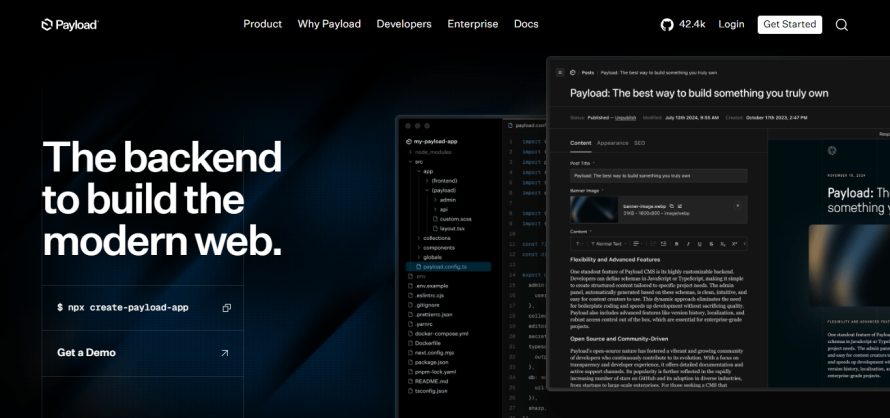
Payload is one of the fastest-growing self-hosted headless CMS platforms in the Next.js ecosystem. Unlike traditional decoupled systems, Payload can run directly inside a Next.js application, which simplifies deployments and reduces infrastructure fragmentation.
Its TypeScript-first architecture appeals strongly to engineering-led teams. Developers define schemas in code, maintain direct database ownership and avoid many SaaS platform constraints. However, Payload is less editor-centric than platforms like Storyblok or Sanity and assumes a more technical implementation team.
🏆 Payload CMS is best suited for engineering-heavy teams, custom SaaS products and developer-centric workflows.
Image
Strapi
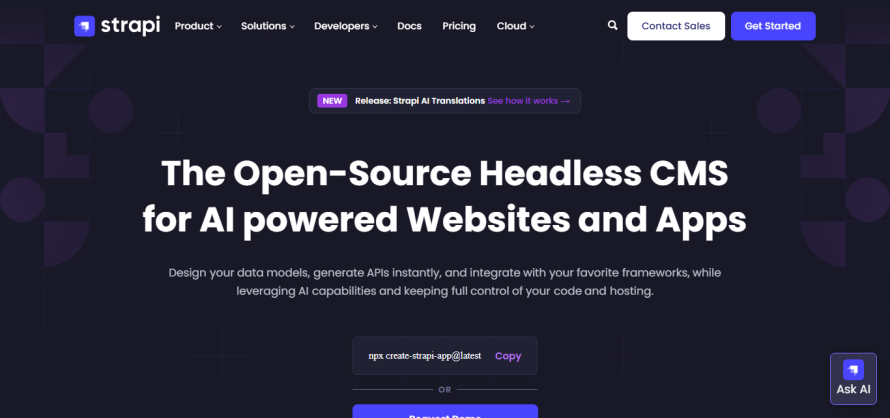
Strapi is a widely used open-source headless CMS platform. It supports REST and GraphQL APIs, self-hosting, customizable schemas and broad frontend compatibility with Next.js.
Its popularity comes largely from flexibility and low entry cost. But production implementations often require additional operational planning around scaling, caching, authentication and infrastructure management compared to fully managed SaaS systems.
🏆 Strapi is best suited for developers wanting open-source flexibility without building a CMS from scratch.
Image
Storyblok
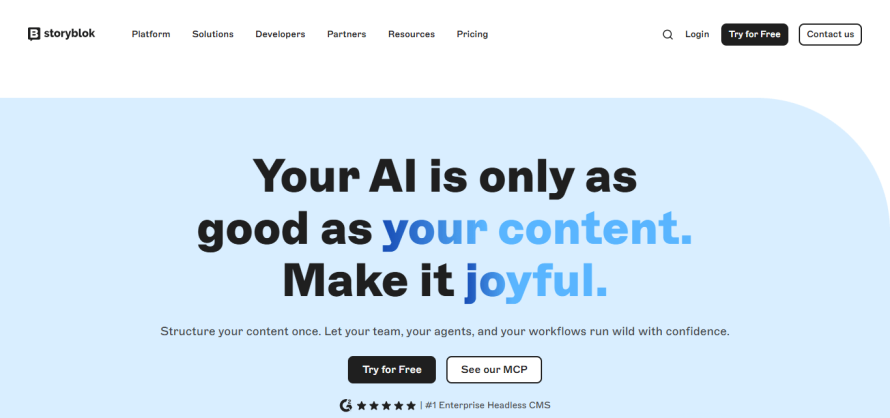
Storyblok differentiates itself through visual editing. Its component-based visual editor maps especially well to modern frontend component architectures in Next.js, making it popular among marketing teams that want greater editing autonomy.
The platform balances developer flexibility with a strong non-technical editorial experience, though highly customized implementations may still require engineering support behind the scenes.
🏆 Storyblok is best suited for marketing-heavy sites, visual page building and editor-driven workflows.
Image
Contentful
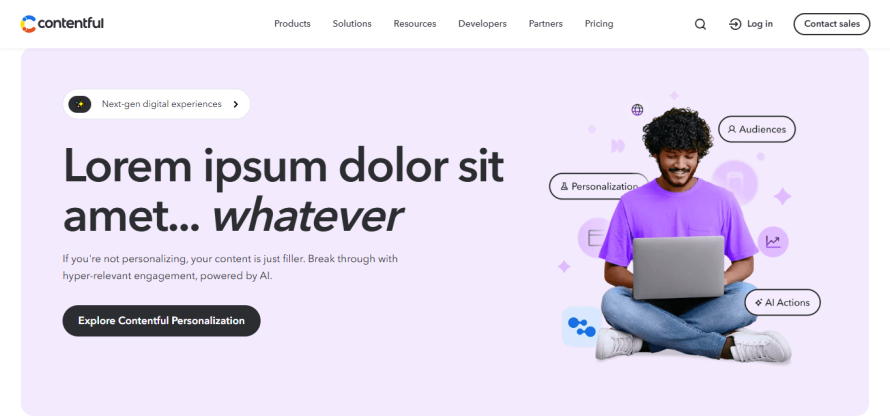
Contentful is in the API-first CMS category. It offers mature localization, governance, workflow management and broad ecosystem integrations alongside REST and GraphQL APIs.
However, Contentful pricing can increase significantly as content volume, locales, environments and API usage grow.
🏆 Contentful is best suited for enterprise composable architectures, global content operations and large editorial organizations.
Image
Prismic
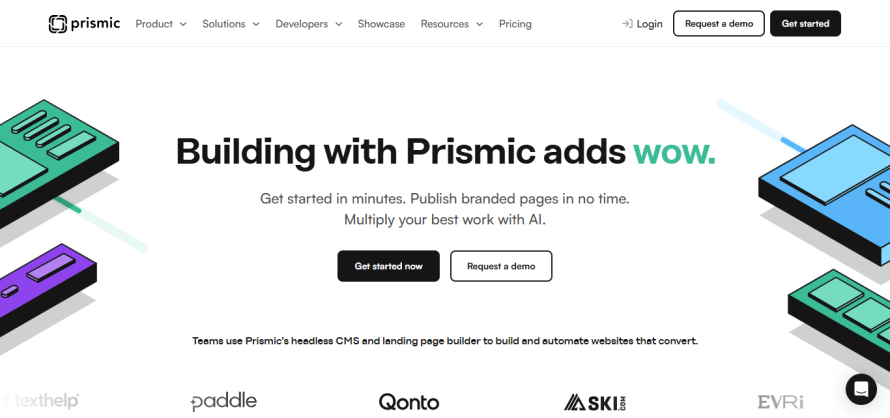
Prismic focuses heavily on slice-based content modeling and developer-friendly integration with frontend frameworks like Next.js. Its page-building approach works well for marketing sites and landing page workflows where reusable content sections matter more than deeply relational enterprise data structures.
Compared to enterprise-focused systems, Prismic is simpler operationally but less extensible for highly customized governance or data modeling requirements.
🏆 Prismic is best suited for marketing sites, startups and landing-page-driven content operations.
Other notable options include:
- Hygraph for GraphQL-native architectures and API federation through Remote Sources.
- DatoCMS for GraphQL-heavy workflows with strong image optimization tooling.
- Directus for teams wanting to expose an existing SQL database through a headless CMS layer rather than adopting a traditional editorial-first platform.
Image
Here’s a side-by-side comparison to help you even further:
| CMS | App Router support | ISR method | Draft Mode | API type | Content modeling | Starting price |
WordPress | Compatible | Supported through a custom revalidation setup | Requires setup | REST or GraphQL via WPGraphQL | Highly flexible with custom post types, taxonomies and fields | $0 because it’s open-source, but hosting and maintenance add costs |
Drupal | Compatible | Supported through decoupled revalidation workflows | Supported through integration tooling | JSON:API or GraphQL via modules | Very strong for structured, relational and governed content | $0 because it’s open-source, but hosting and maintenance add costs |
| Sanity | Strong official support | Built for modern revalidation and live content workflows | Official support | GROQ and GraphQL are available | Highly flexible schema-based modeling | $0 for the free plan and paid plans start at $15/user/month |
Payload | Native alignment | Supported | Built-in preview capabilities | REST, GraphQL or Local API | Code-first collections, globals and blocks | $0 because it’s open-source and self -hosted |
Strapi | Compatible | Supported through webhooks/revalidation | Supported with configuration | REST and GraphQL are available | Content types, components and reusable structures | $0 because it’s open-source and self-hosted, but paid CMS plans start at $45/month |
Storyblok | Strong official support | Supported through publishing-triggered revalidation | Strong visual preview support | REST and GraphQL are available | Component-based visual content modeling | $0 for the Starter plan and paid plans start at $99/month |
Contentful | Strong official support | Supported through webhook-driven revalidation | Supported | REST and GraphQL | Structured content types, entries and references | $0 for the free plan and paid plans start at $300/month |
Prismic | Strong official support | Supported | Strong preview support | Content API and legacy GraphQL are available | Slice-based page and content modeling | $0 for the free plan and paid plans start at $10/month, billed annually |
The real cost of going headless
The biggest misconception about headless CMS architecture is that the CMS subscription is the primary cost. In reality, the CMS is only one layer of a much larger operational system that includes the frontend application, hosting infrastructure, CI/CD pipelines, caching, preview workflows, monitoring and ongoing engineering maintenance.
Self-hosted vs. SaaS costs
Self-hosted CMS platforms like Strapi, Payload CMS and Directus often appear inexpensive because the software itself is free or open-source ($0 software license). But the real cost shifts into infrastructure and engineering operations. Teams still need managed PostgreSQL or MySQL databases, container hosting, CDN services, monitoring, backups, security patching and deployment orchestration. Even relatively small production environments still require time and effort for maintenance, updates and operational management.
SaaS CMS platforms reduce that operational burden, but their pricing models scale differently. API usage, environments, locales, image bandwidth, datasets, workflow features and user seats all become cost variables over time. For example:
- Contentful pricing scales heavily around usage, environments and enterprise governance features, with API and bandwidth overages billed separately.
- Sanity Growth pricing starts around $15 per seat monthly, but advanced quotas, enterprise governance features and additional datasets can substantially increase total spend.
- Storyblok and similar SaaS platforms also scale pricing through bandwidth, API and collaboration thresholds rather than just content volume.
The hidden infrastructure layer
The CMS itself is only part of the total stack cost. Teams also need infrastructure for the Next.js frontend, including hosting, CDN delivery, CI/CD pipelines, observability tooling, preview environments, caching layers and deployment orchestration.
Modern Next.js applications often combine SSR, SSG, ISR, streaming and edge rendering simultaneously. That increases infrastructure coordination requirements significantly compared to traditional monolithic CMS deployments.
Preview systems also become more expensive operationally than many organizations expect. Draft Mode, preview authentication, cache invalidation and content revalidation usually require explicit implementation work instead of functioning automatically.
This complexity grows further across multiple environments, localization workflows or multi-site deployments, where frontend and CMS schema changes must remain synchronized.
What costs typically look like over time
At roughly 12 months, a small team managing around 100 content items and a few editors can often operate comfortably on lower-tier SaaS plans or lightweight self-hosted infrastructure.
By 24 months, the economics usually change. Once organizations reach hundreds of content entries, multiple environments, localization requirements and larger editorial teams, costs shift away from the CMS subscription itself and toward operational coordination:
- More preview environments.
- More API traffic.
- More build complexity.
- More schema governance.
- More deployment coordination.
- More engineering support for editorial workflows.
That is why the total cost of ownership matters more than entry pricing.
A platform that appears cheaper during prototyping may become operationally expensive at scale, while a managed platform with higher upfront pricing may reduce engineering overhead substantially over time.
For teams evaluating WordPress specifically as a headless backend, Pantheon’s headless WordPress hosting guide provides a useful breakdown of the infrastructure considerations involved in running decoupled WordPress architectures in production.
How Pantheon manages your headless Next.js stack
Every platform in the comparison above focuses primarily on the CMS layer. Teams still need to manage the Next.js frontend, deployment workflows, preview infrastructure, caching behavior and environment coordination separately. Pantheon positions itself at that operational layer rather than as another CMS vendor.
With Next.js on Pantheon, teams can run both the CMS backend (typically WordPress or Drupal) and the Next.js frontend inside a single managed platform with unified workflows. This is exactly what SPS Commerce needed. They migrated their 1,600-page multilingual Next.js property from Netlify to Pantheon so they can manage both WordPress and Next.js under one roof.
We've been using Pantheon for over 12 years, and that boosted a lot of our confidence. When Next.js became available on Pantheon, having that opportunity to consolidate our services was a no-brainer for us.”
– Ryan Walker, Development Manager, SPS Commerce
Next.js applications run on Pantheon’s managed container runtime built on Google Cloud Run infrastructure, with integrated CDN delivery, horizontal scaling, persistent caching and ISR support.
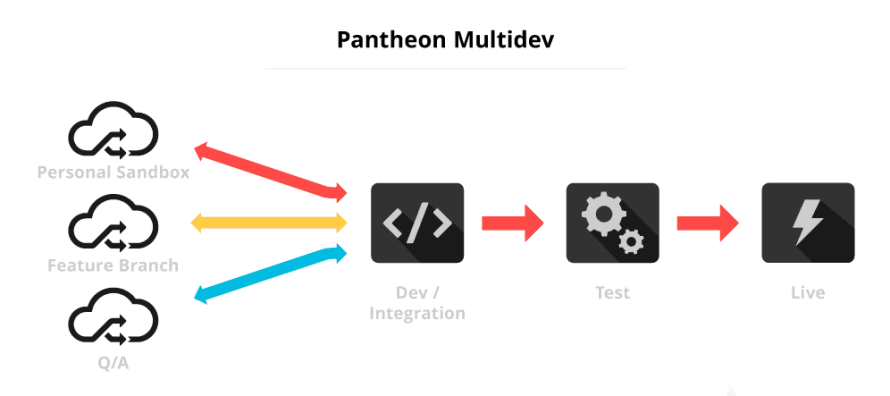
Pantheon also addresses one of the biggest operational pain points in headless architectures: environment coordination. Multidev environments create isolated environments per Git branch, including code, database and files. This allows teams to test schema changes, preview workflows and frontend updates together before production deployment.
Image
For editorial workflows, Content Publisher adds publishing pipelines from Google Docs and Microsoft Word into WordPress, Drupal and Next.js delivery workflows with approvals and live preview support.
Pantheon also targets enterprise governance requirements through features like SOC 2 Type II compliance, role-based access controls and Upstreams for managing large portfolios of decoupled sites from a centralized workflow.
Choose based on your project
In a nutshell, the right headless CMS platform for Next.js depends on your operational model, editorial workflow, tolerance for infrastructure and team structure.
The bigger decision is usually not the CMS itself, but how the entire headless stack is managed over time – including deployments, preview environments, caching, governance and frontend hosting.
For teams evaluating production-grade decoupled architectures, launch your Next.js stack on Pantheon today and run your frontend and CMS together with managed infrastructure, Multidev environments, integrated workflows and enterprise-grade scalability built for modern headless architectures!
Headless FAQ
What are the disadvantages of using a headless CMS with Next.js?
Headless architectures introduce more implementation and operational complexity than traditional coupled CMS setups. Preview systems, Draft Mode, cache invalidation, webhooks and content revalidation all require explicit configuration in Next.js instead of working automatically through the CMS layer.
Self-hosted CMS platforms also shift infrastructure responsibility to the development team, including database management, security patching, backups, monitoring and scaling. Even with SaaS CMS platforms, teams still manage the Next.js frontend infrastructure separately.
Editorial workflows can also become less intuitive because non-technical editors lose the tightly integrated WYSIWYG and live preview experience that traditional CMSs provide by default. Platforms like Pantheon attempt to reduce this operational gap through managed infrastructure, Multidev workflows and Content Publisher integrations.
What is the most popular headless CMS?
Popularity depends on the metric being measured. By GitHub stars, open-source platforms like Strapi, Payload CMS and Directus have some of the largest developer communities. In enterprise adoption, Contentful and Sanity are among the most widely adopted SaaS headless CMS platforms. Within the modern Next.js ecosystem specifically, Sanity is frequently recommended because of its strong alignment with React and App Router-era workflows.
What are the best GraphQL-native headless CMS options for Next.js?
Hygraph is one of the most GraphQL-centric CMS platforms and supports API federation through Remote Sources. DatoCMS also focuses heavily on GraphQL workflows alongside image optimization and real-time capabilities. Contentful provides both REST and GraphQL APIs for composable architectures.